広告のパーソナライゼーション、リマーケティング、広告のパフォーマンス分析など、広告に使用されるクッキーを管理します。
2.5.2.2.3.1. Configure FTP connection in WinSCP
Attention!
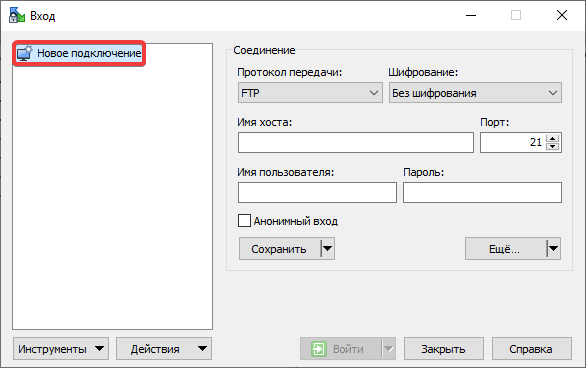
Before connecting, check the FTP security settings — the IP address from which the connection will be made should be added to the allowed list, or access restrictions should be disabled.- Click "New Site":
- Specify the connection settings:
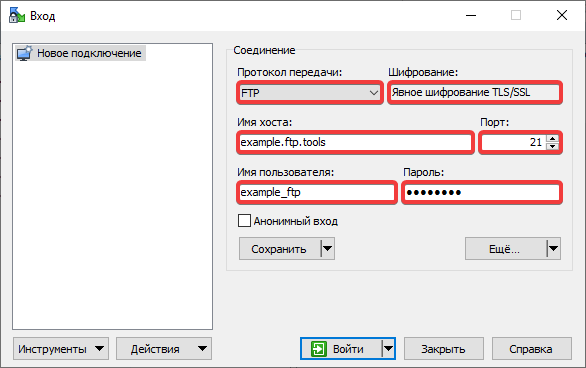
- "File protocol" — "FTP".
- "Encryption" — "TLS/SSL Explicit encryption". In case of connection issues, use "No encryption".
- "Host nName" — FTP host.
- "Port" —
21. - "User name" — FTP user login.
- "Password" — FTP user password.
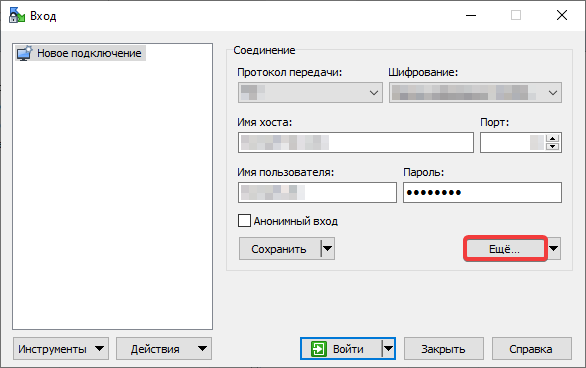
- Click "Advanced":
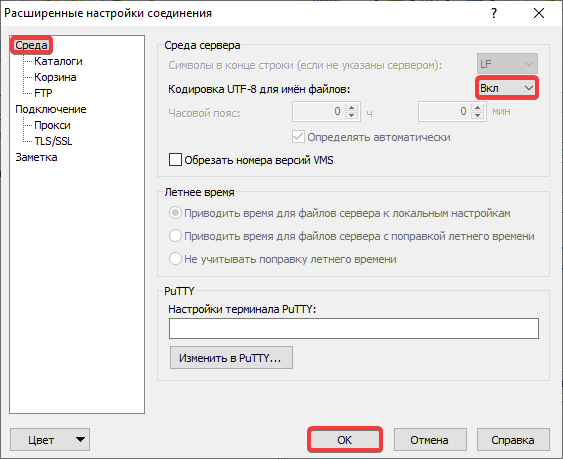
- In the section "Environment" in the "UTF-8 encoding for filenames" field select "On" and click "OK":
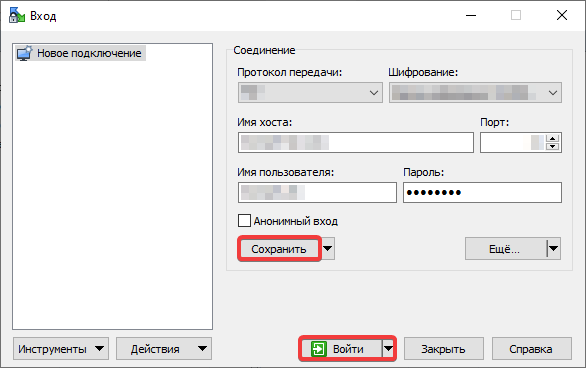
- Click "Save" and "Login":