広告のパーソナライゼーション、リマーケティング、広告のパフォーマンス分析など、広告に使用されるクッキーを管理します。
2.14.9.11. Clear Smarty cache in PrestaShop
PrestaShop uses Smarty cache. It needs to be cleared if changes have been made to the site but are not displayed.
Clear automatically
- Go to "Advanced Parameters → Performance":
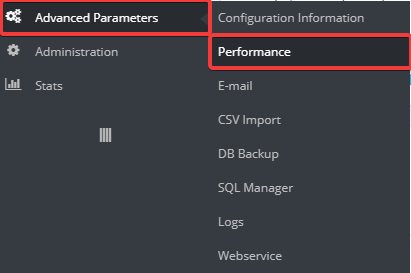
- Click "Clear cache":

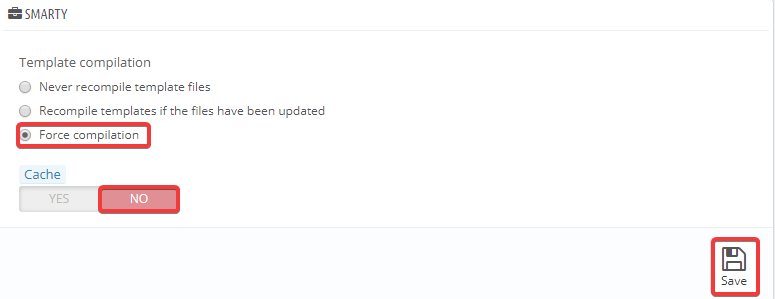
- Additionally, you can disable caching and enable forced compilation settings:
Clear manually
Attention!
Do not delete theindex.php file in the cache file directories, otherwise errors may appear on the site.
For manual clearing, you need to delete all files except index.php from the following directories:
/cache/smarty/compile*cache/smarty/cache*img/tmp
You can perform these actions using the file manager or any FTP client.
(1)