広告のパーソナライゼーション、リマーケティング、広告のパフォーマンス分析など、広告に使用されるクッキーを管理します。
2.14.9.15. Upgrade PrestaShop
Attention!
Before performing any actions, be sure to create backups of the site and its database.You can upgrade PrestaShop to the latest version using the 1-Click Upgrade module.
Install 1-Click Upgrade
- Open the site admin panel.
- In the side menu, in the "IMPROVE" section, go to "Modules → Module Catalog", enter
1-Click Upgradein the search field, and click "Install" on the module card: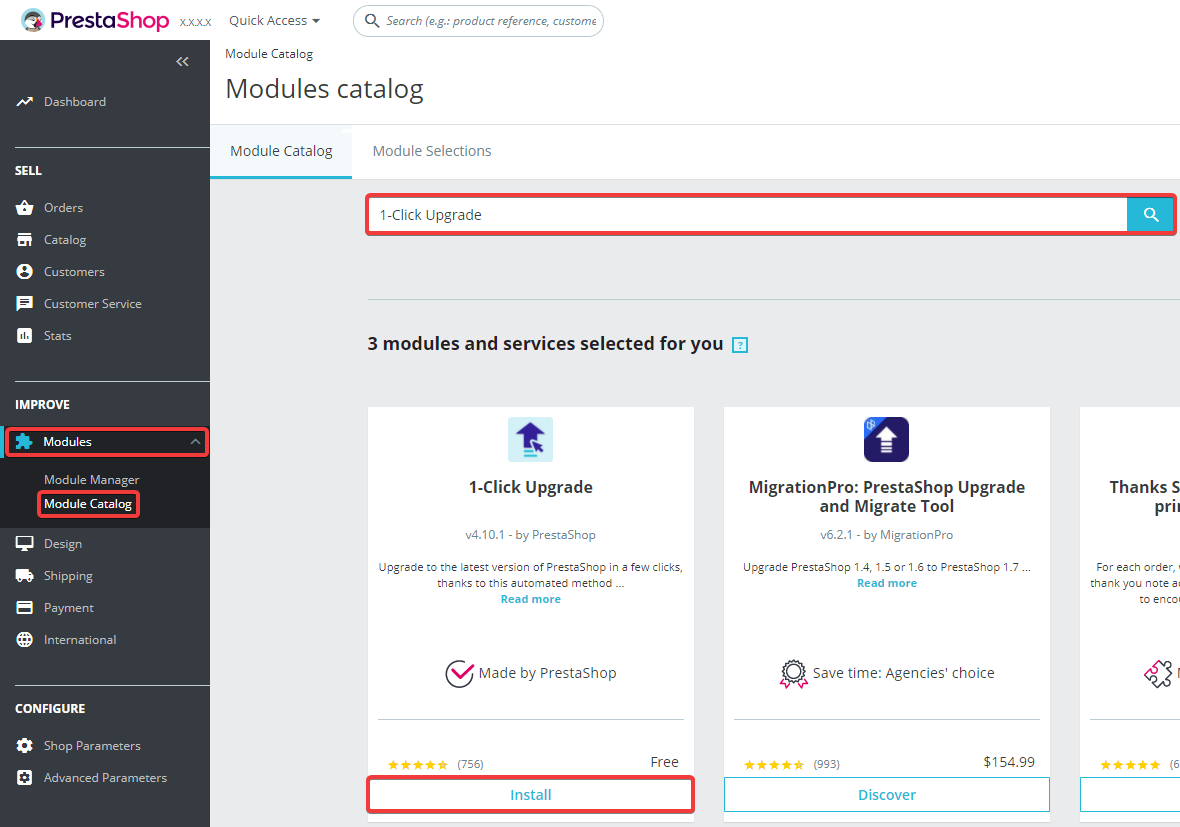
Update
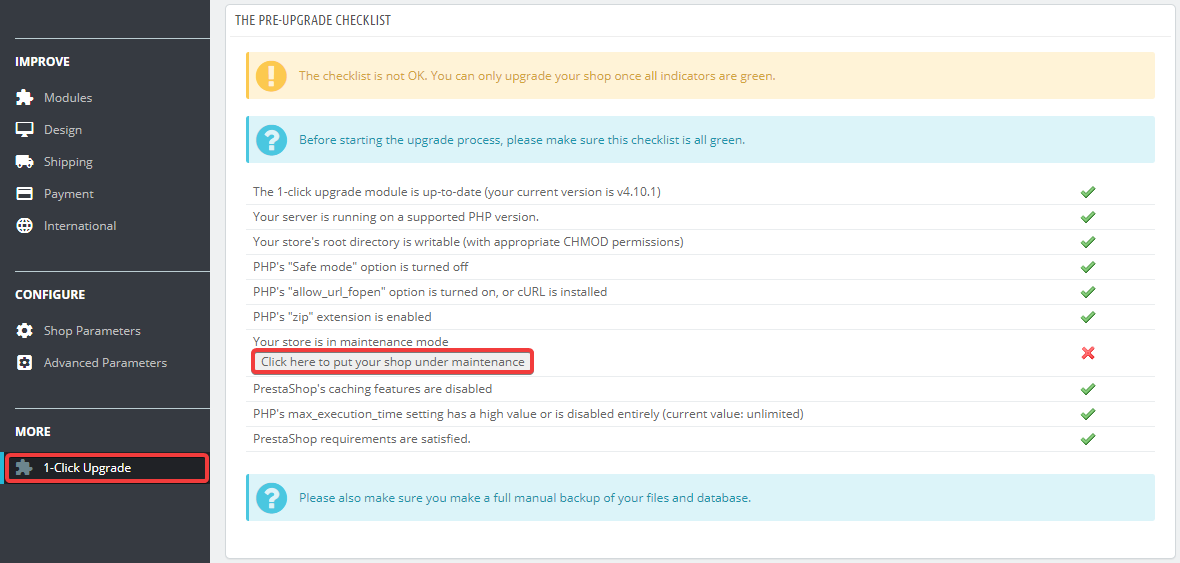
- In the side menu, in the "MORE" section, go to "1-Click Upgrade" and in the "THE PRE-UPGRADE CHECKLIST" block, click "Click here to put your shop under maintenance":
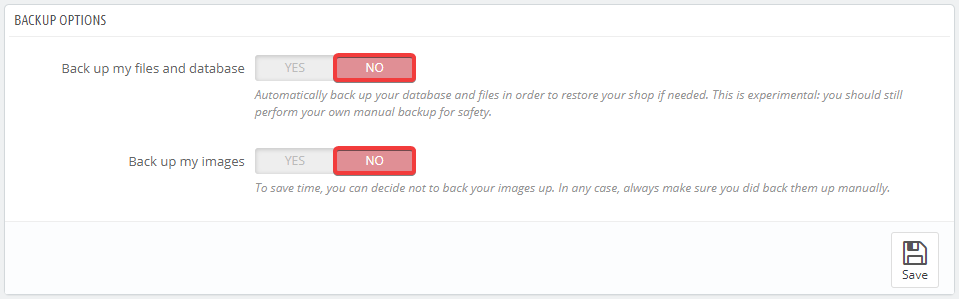
- In the "BACKUP OPTIONS" section, switch the "Back up my files and database" and "Back up my images" options to "NO":
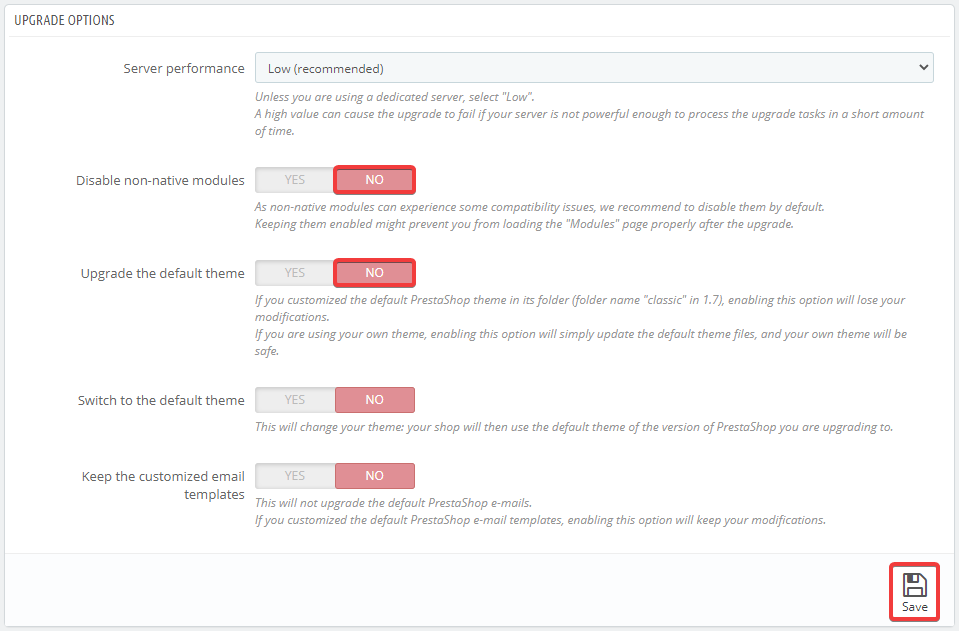
- In the "UPGRADE OPTIONS" section, switch the "Disable non-native modules" and "Upgrade the default theme" options to "NO" and save the changes:
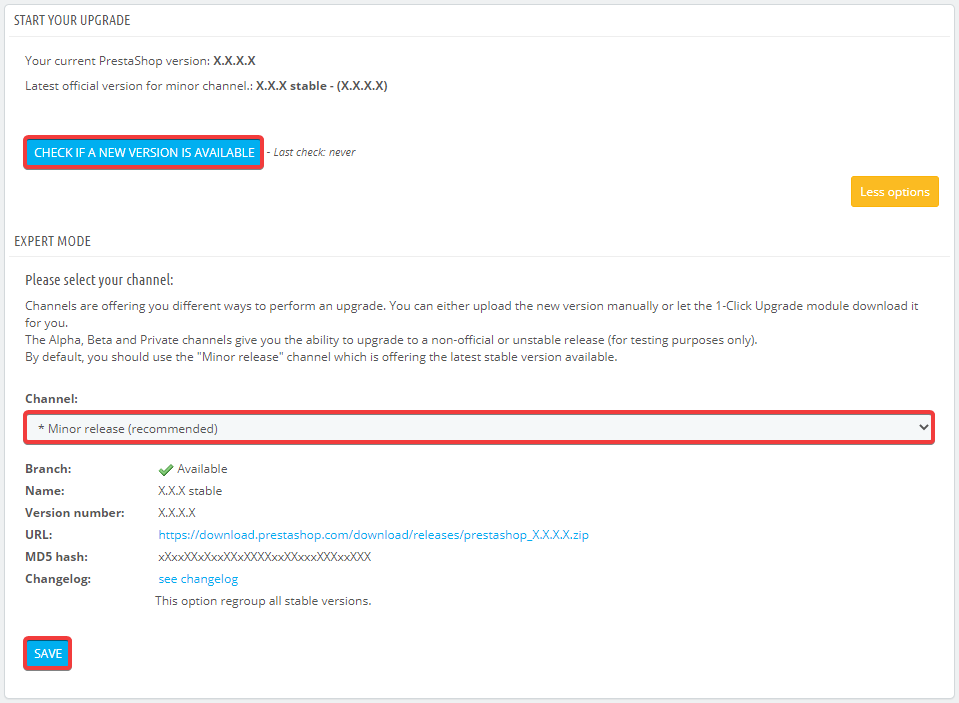
- In the "START YOUR UPGRADE" section, select the desired upgrade channel in the "Channel" field, save the changes, and click "CHECK IF A NEW VERSION IS AVAILABLE":
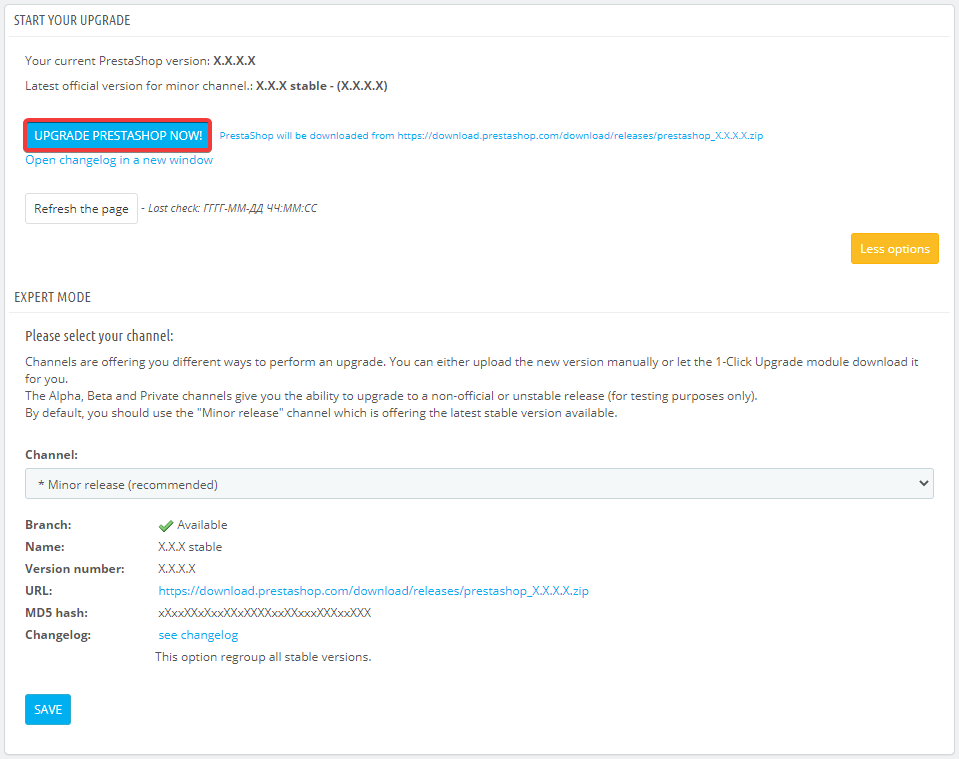
- In the "START YOUR UPGRADE" section, click "UPGRADE PRESTASHOP NOW!":
- Wait for the upgrade to complete.
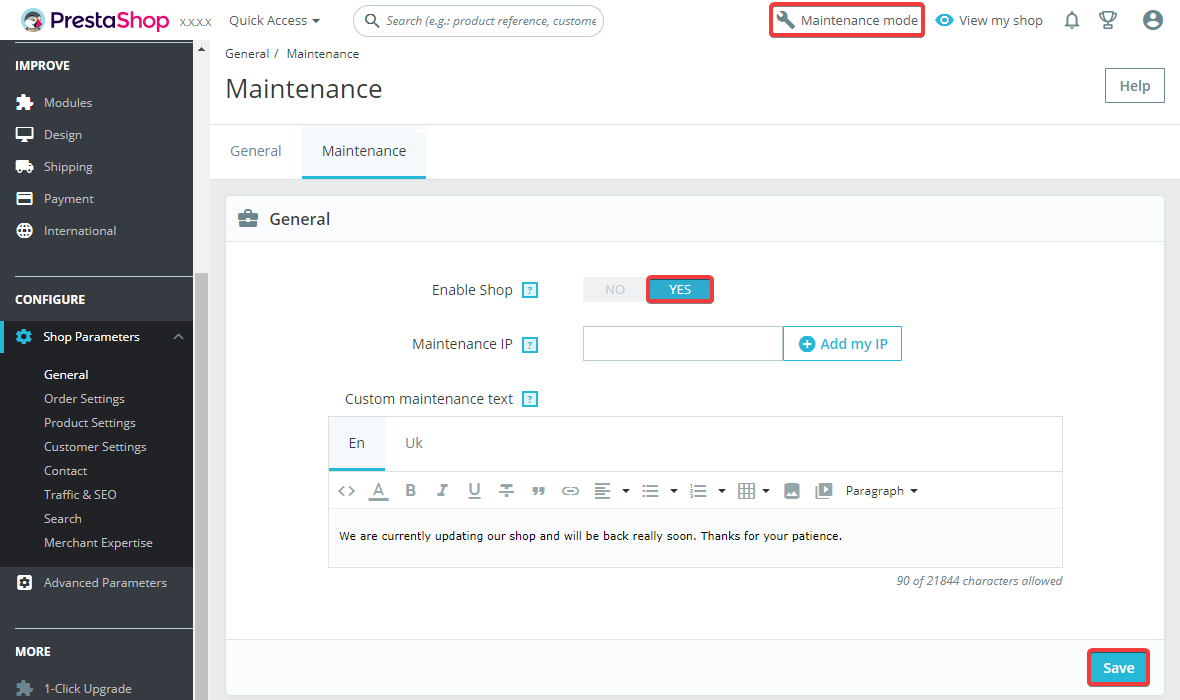
- Go to the service mode management section, switch the "Enable Shop" option to "YES" and save the changes:
- Check the site operation.