広告のパーソナライゼーション、リマーケティング、広告のパフォーマンス分析など、広告に使用されるクッキーを管理します。
4.3.2.8. Create HTML emails in WebMail classic
To change the markup type used for composing messages in WebMail classic, do the following:
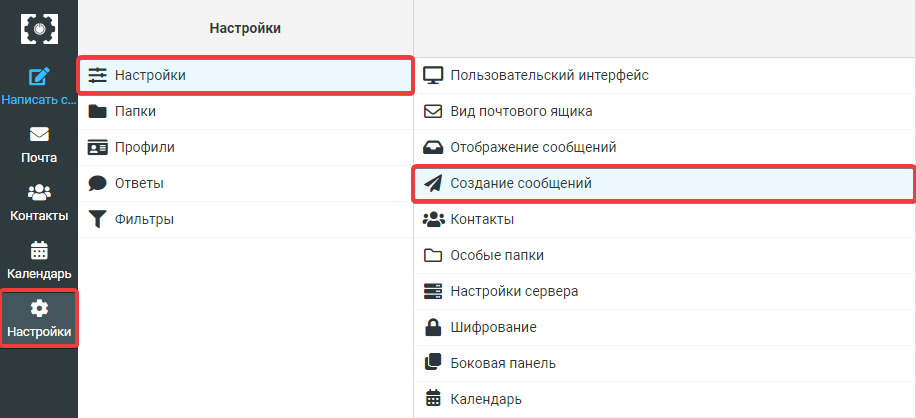
- In WebMail classic, open the "Settings → Message composition" section:
- Select appropriate option in the "Create messages in HTML" field and click "Save":
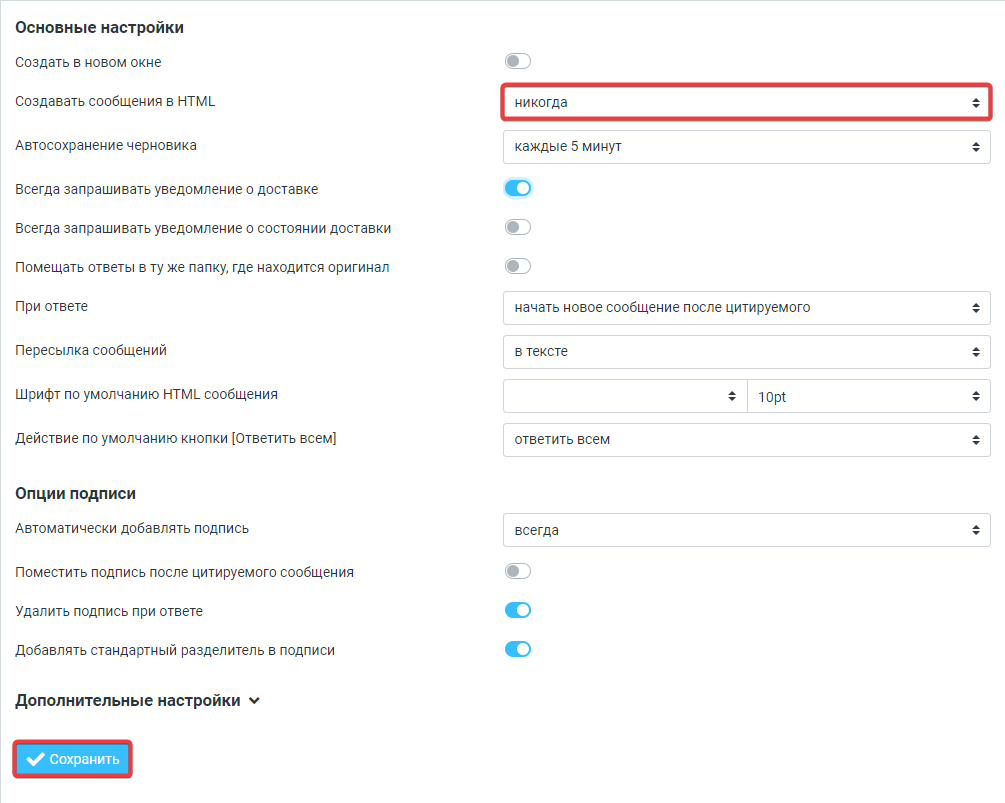 Available options:
- never
- only in response to message in HTML
- when forwarding or replying to HTML message
- always
- always, except when the response is composed as plain text
(1)