広告のパーソナライゼーション、リマーケティング、広告のパフォーマンス分析など、広告に使用されるクッキーを管理します。
2.15.1.4. View SSL certificate information
You can view information about the SSL certificate in the "SSL settings" section. With the certificate installed, the section looks like this: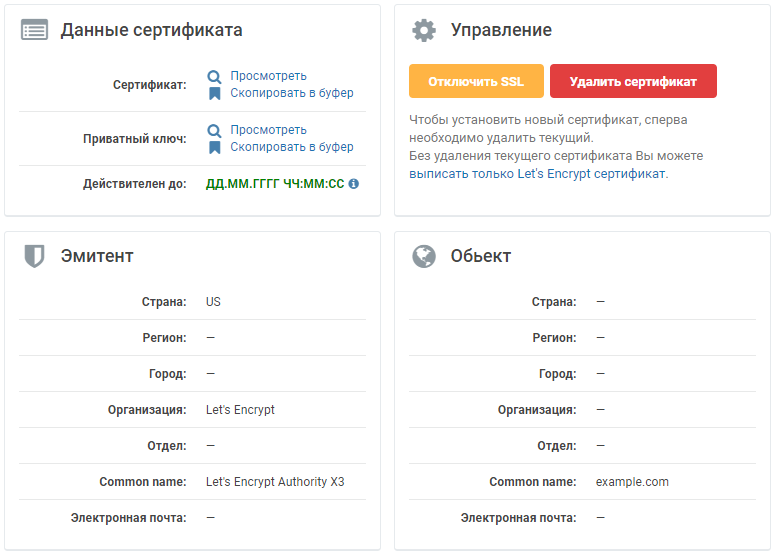
- "Certificate data" — in this block, you can:
- View and copy the certificate and private key to the clipboard.
- Find out the certificate's expiration date.
- "Management" — in this block, you can:
- Temporarily disable SSL.
- Delete the current certificate.
- Submit a request for a free certificate from Let's Encrypt without deleting the current one.
- "Issuer" — the entity that issued the certificate.
- "Object" — for what the certificate was issued.
You can view detailed information and check the validity of the certificate using specialized services: