広告のパーソナライゼーション、リマーケティング、広告のパフォーマンス分析など、広告に使用されるクッキーを管理します。
2.14.3.15. Install extensions via FTP in OpenCart
The article applies to OpenCart 2. In OpenCart 3, extension installation is performed without FTP.
- In FTP access restrictions provide site FTP access to hosting in one of two ways:
- Or completely disable access restriction for extension installation time.
- Or find direct IP addresses of hosting account and add them to allowed.
- Open the site admin panel.
- Go to "System → Settings".
- To the right of the store name, click "Edit".
- Switch to the "FTP" tab and enter your FTP connection credentials:
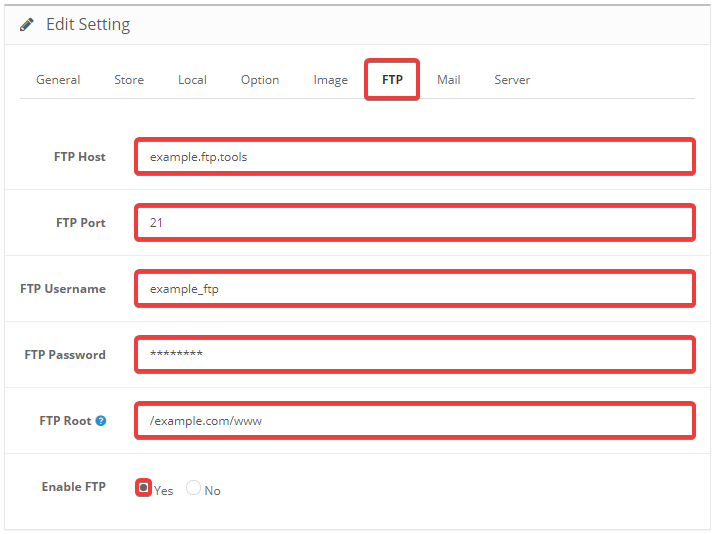
- "FTP Host" — FTP server address.
- "FTP Port" —
21. - "FTP Username" — FTP user login.
- "FTP Password" — FTP user password.
- "FTP Root" — the path to the site root directory from FTP root (without
/home/account_nameat the beginning). - "Enable FTP" — "Yes".
- Save changes by clicking "Save" in the upper-right corner of the page.
- Go to "Extensions → Extension Installer".
- Next to "Upload File", click "Upload".
- Select the extension file you want to install.
- Click "Continue".
- Wait for the installation to complete.