広告のパーソナライゼーション、リマーケティング、広告のパフォーマンス分析など、広告に使用されるクッキーを管理します。
2.14.2.16. Disable feedback form in Joomla!
When disabling the feedback form in Joomla!, you should take into account that such a form can be created both by the standard functionality and by third-party extensions. Hiding the default unprotected feedback form can help prevent unauthorized spam mailings using it.
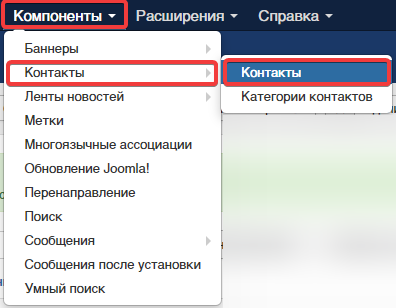
- Go to "Components → Contacts → Contacts":
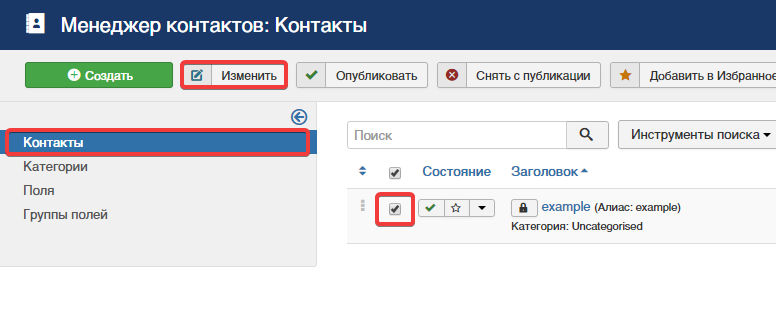
- Select the contact for which the feedback form is enabled, and click "Edit":
- Switch to "Contact display settings" tab and in "Show feedback form" field select "Hide":
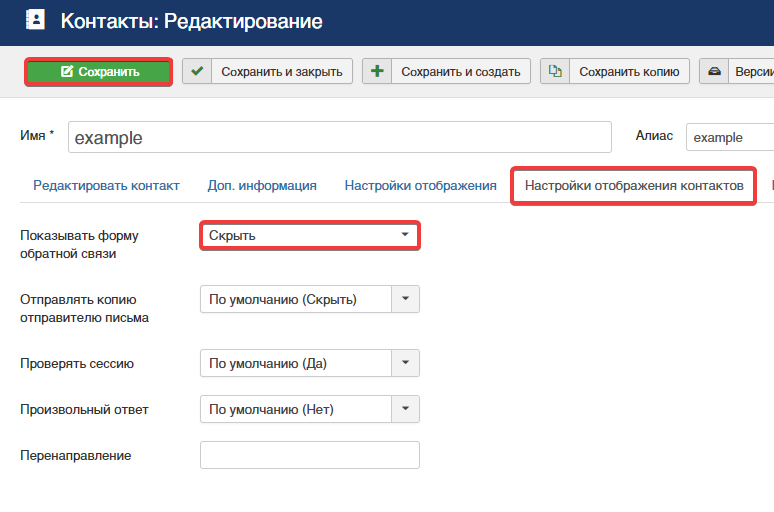
- Save the changes.