広告のパーソナライゼーション、リマーケティング、広告のパフォーマンス分析など、広告に使用されるクッキーを管理します。
4.3.9.1. Set up Mailspring mail client
Mailspring is an open source mail client for Windows, macOS, and Linux devices. Basic features are available for free, with advanced features available via subscription.
- If you are launching the mail client for the first time, create a Mailspring ID (an account in the Mailspring service) or log in with an existing one.
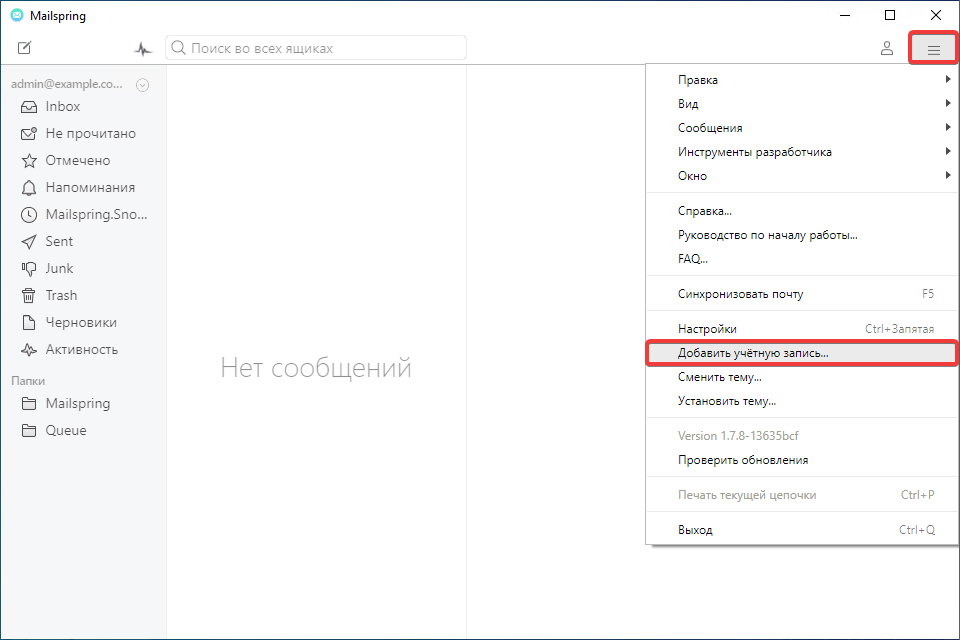
- In the app's main menu, select "Add account":
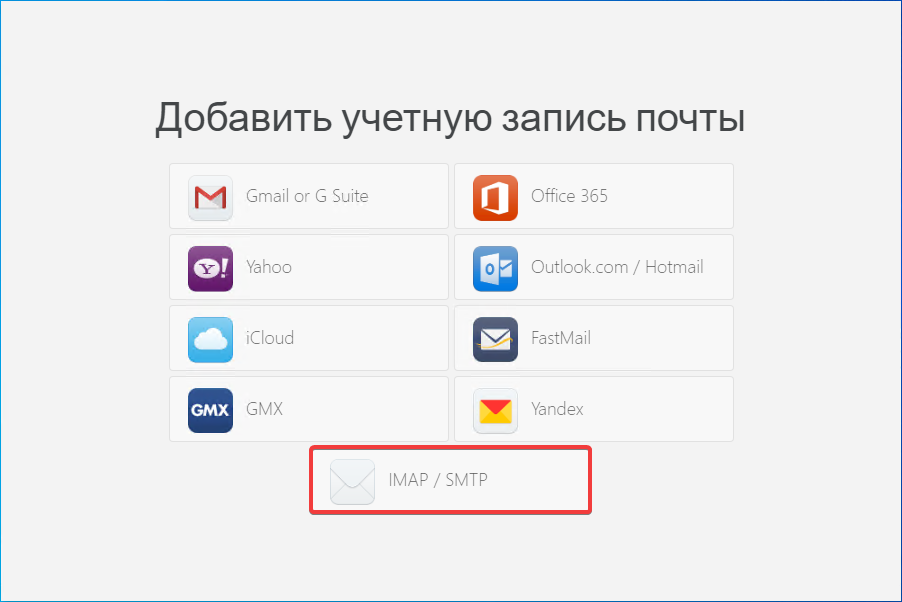
- Click "IMAP/SMTP":
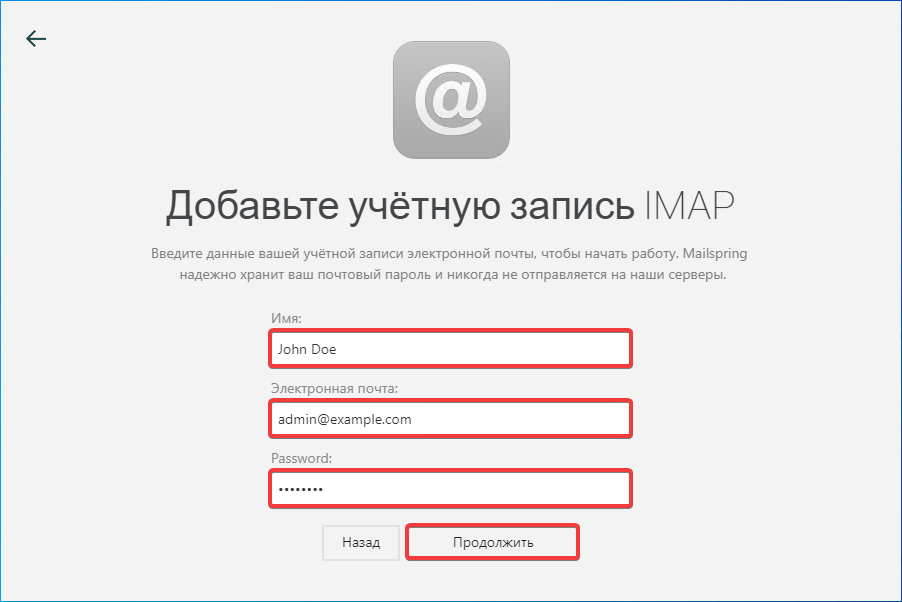
- Enter your name, mailbox name and password and click "Continue":
- Specify the connection settings and click "Add account":
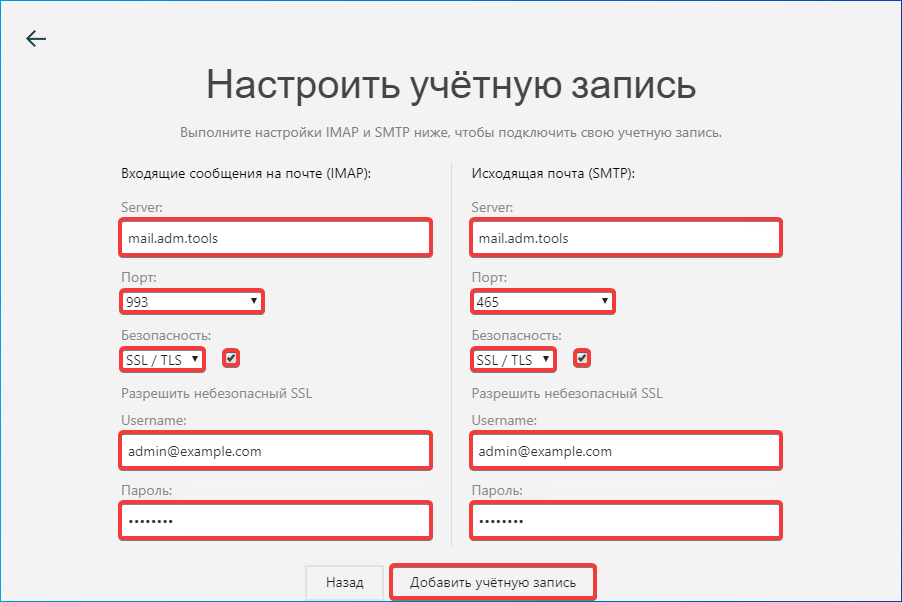
- "Incoming mail messages (IMAP)":
- "Server" —
mail.adm.tools. - "Port" — "993".
- "Security" — "SSL/TLS".
- "Allow insecure SSL" — enabled.
- "Username" — mailbox name.
- "Password" — mailbox password.
- "Outgoing mail (SMTP)":
- "Server" —
mail.adm.tools. - "Port" — "465".
- "Security" — "SSL/TLS".
- "Allow insecure SSL" — enabled.
- "Username" — mailbox name.
- "Password" — mailbox password.
- Check the mail operation.