広告のパーソナライゼーション、リマーケティング、広告のパフォーマンス分析など、広告に使用されるクッキーを管理します。
2.14.1.21. Add Facebook/Meta Pixel in WordPress
Using plugin
- Install and activate the PixelYourSite plugin.
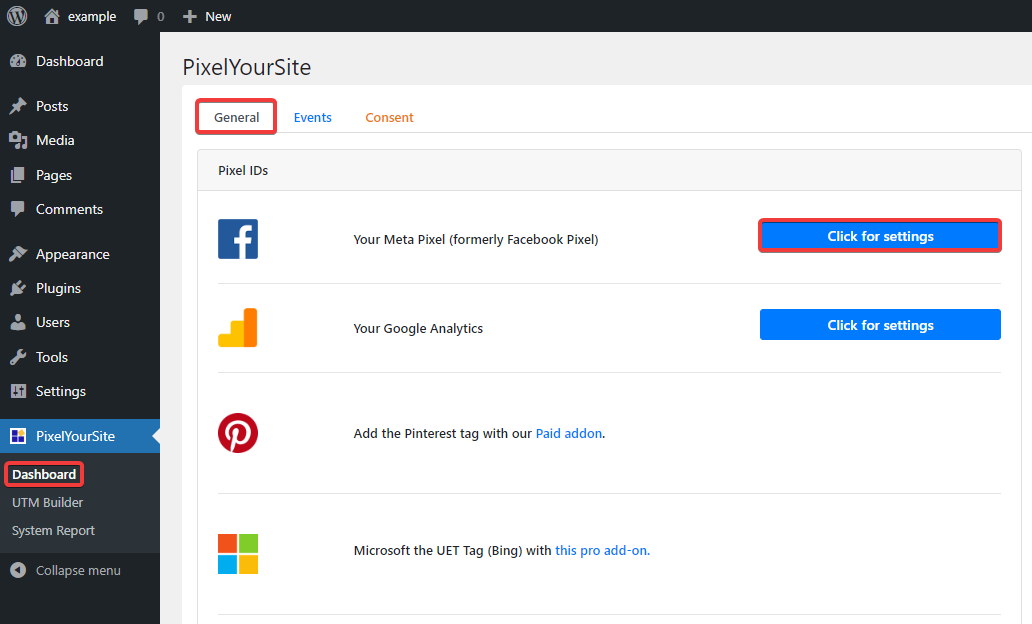
- In the side menu, open "PixelYouSite → Dashboard" and on the "General" tab, in the "Your Meta Pixel (formerly Facebook Pixel)" line, click "Click for settings":
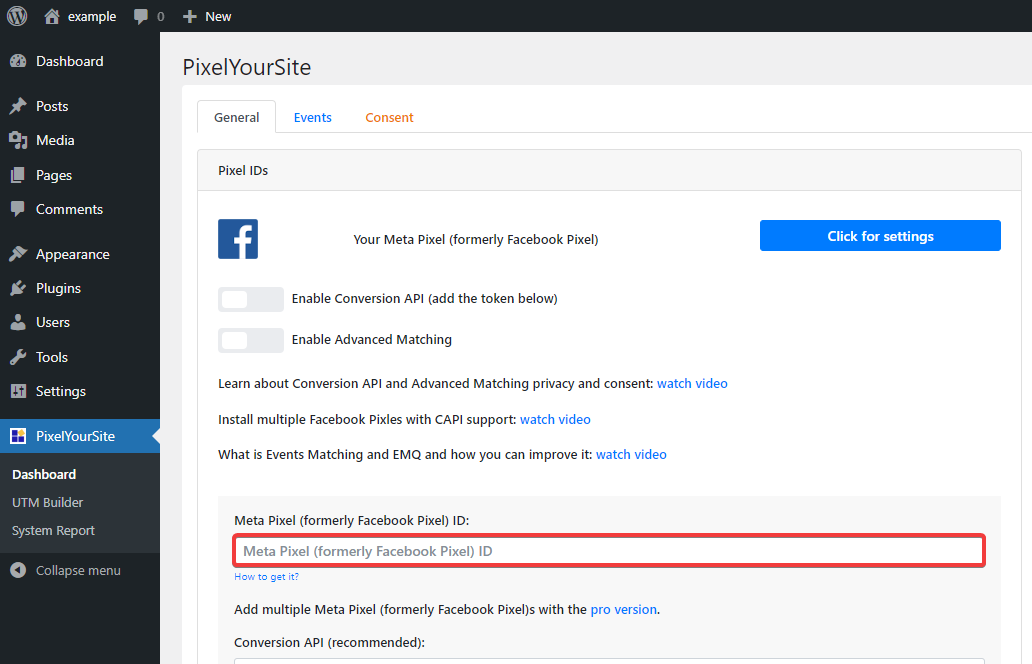
- In the "Meta Pixel (formerly Facebook Pixel) ID" field, paste your Pixel ID copied from the Facebook site and save the changes:
Manually
- In the side menu, open "Appearance → Editor".
- Select "Template parts → Header" and click the edit button.
- In the upper right corner, click on the three dots and switch from the visual editor to the code editor.
- Add your Pixel code copied from the Facebook site to the field and save the changes.