広告のパーソナライゼーション、リマーケティング、広告のパフォーマンス分析など、広告に使用されるクッキーを管理します。
3.1.4.3. Point domain to VPS or dedicated server
Domain on our NS
- Open the "Domain settings (DNS)" section.
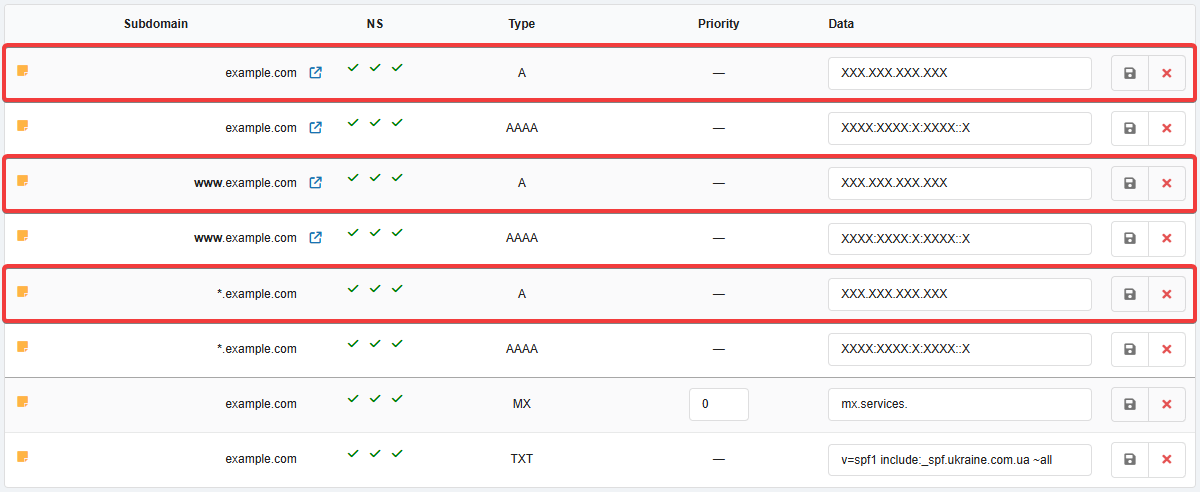
- Edit address records of type A and in the "Data" field, specify the IP address of the VPS or dedicated server in IPv4 format (four numbers separated by dots):
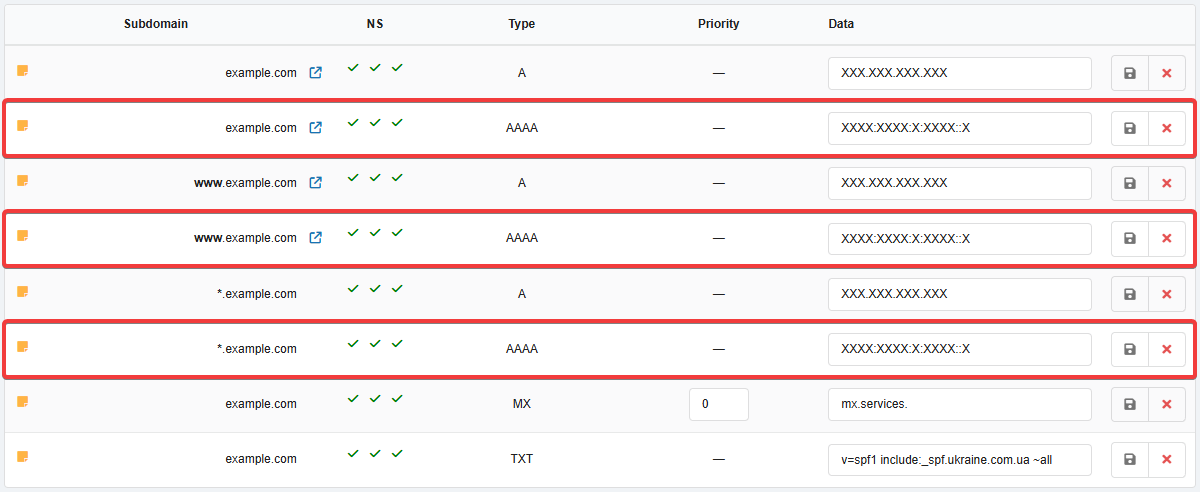
- If the server should be accessible not only via IPv4 but also via IPv6, edit the address records of type AAAA (if there are no such records, you can add them) and in the "Data" field, specify the IP address in IPv6 format (groups of numbers and symbols separated by colons) (if the server should only be accessible via IPv4, delete these records):
- Wait for the DNS cache to refresh (usually a few hours, maximum 24).
Attention!
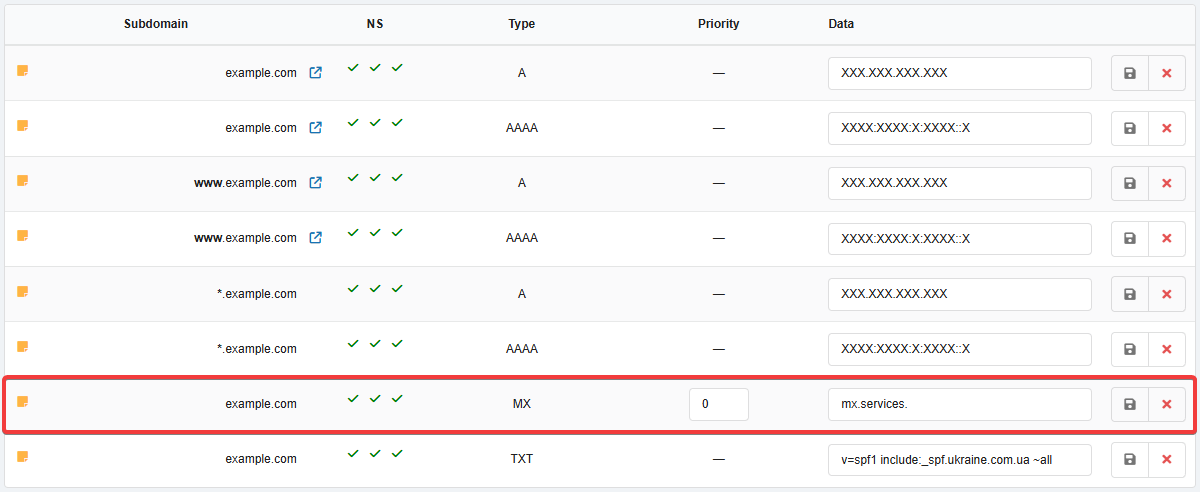
The server that is to receive domain mail must have the appropriate software installed and configured.If you want to host not only a site but also domain mailboxes on a VPS or dedicated server, do the following:
-
- "Subdomain" — "mail" (you can use any name).
- "Type" — "A".
- "Data" — IP address of your server.
- Add new record of type MX with the subdomain added in the previous step:
- "Subdomain" — empty.
- "Type" — "MX".
- "Priority" — a number (e.g.,
10). - "Data" — full name of the subdomain added in the previous step.
- Wait for the DNS cache to refresh (usually a few hours, maximum 24).
Domain on third-party NS
If the domain is hosted on third-party NS, you can set our NS for the domain in the control panel of the current registrar, add the domain in our control panel, and follow the steps described above.
- Open the domain settings in the control panel of the current NS owner.
- Edit the address records of type A and specify the IP address of the VPS or dedicated server in IPv4 format (four numbers separated by dots).
- If the server must be accessible not only via IPv4 but also via IPv6, edit the AAAA address records (if there are none, you can add them) and specify the IP address in IPv6 format (groups of numbers and characters separated by colons). If the server should only be accessible via IPv4, delete the AAAA records.
- Wait for the DNS cache to refresh (usually a few hours, maximum 24).
Attention!
The server that is to receive domain mail must have the appropriate software installed and configured.If you want to host not only a site but also domain mailboxes on a VPS or dedicated server, do the following:
- Open the domain settings in the control panel of the current NS owner.
- Delete existing MX records.
- Add new record of type MX with the subdomain added in the previous step.
- Wait for the DNS cache to refresh (usually a few hours, maximum 24).
(1)
コメント