広告のパーソナライゼーション、リマーケティング、広告のパフォーマンス分析など、広告に使用されるクッキーを管理します。
3.1.2.5. Child NS
Important points:
- The domain must be served by us (we must be its current registrar).
- The servers to be used as child NS must have installed and configured the appropriate software required for DNS operation.
- Child NS do not return standard address records by default, they require add such records within the primary domain.
Child NS — these are a domain's own DNS servers, which are located on subdomains of the same domain (for example, NS of the example.com domain have addresses ns1.example.com and ns1.example.com). In order to avoid looping in the DNS system when determining IP addresses for such NS, it is necessary to add child NS (Glue Records) in the domain zone registry and specify their IP addresses.
Add
- Open the "Child NS" section.
- At the top of the page, click "Add child NS".
- Specify the data of the child NS and click "Save":
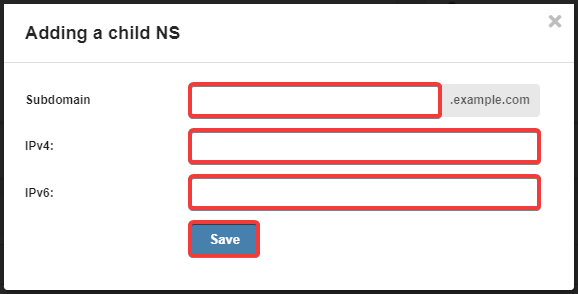
- "Subdomain" — name of the subdomain (for example, for
ns1.example.comyou should specifyns1). - "IPv4" — IPv4 address.
- "IPv6" — IPv6 address (only for registries that support such addresses).
(1)